
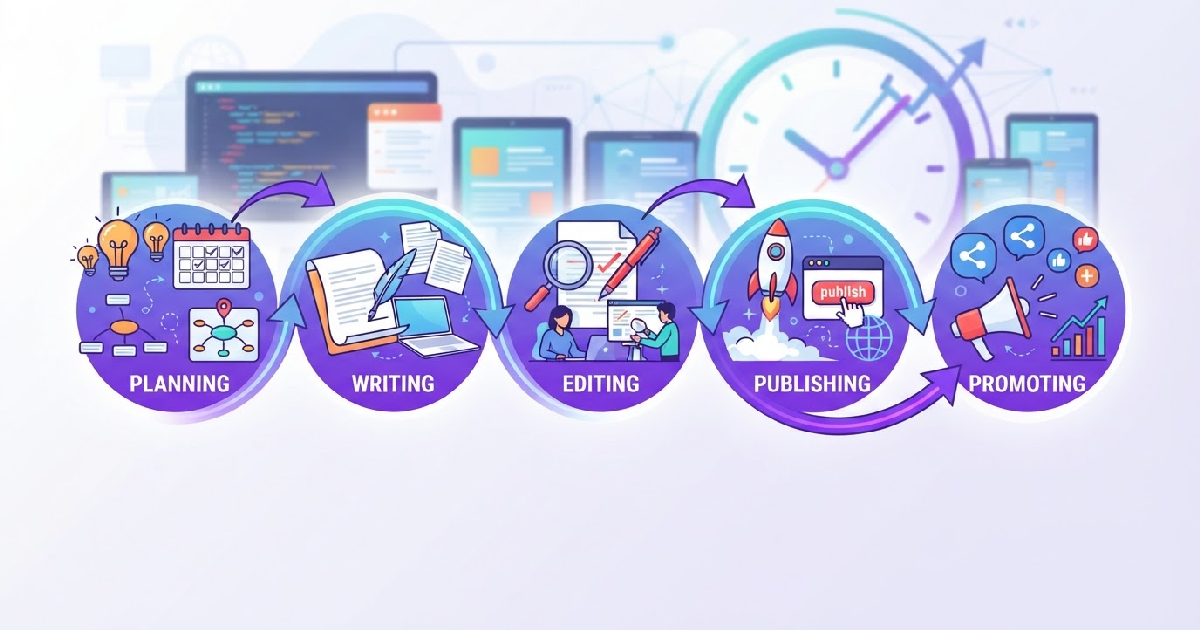
A content publishing workflow is the repeatable system that moves an article from idea to live URL. When that workflow is manual, teams lose hours to copy-pasting drafts, chasing approvals, and reformatting posts for WordPress. When it is automated, the same team can publish more frequently, keep quality consistent, and free up time for strategy and original reporting.
This guide explains how to design an automated editorial workflow that covers planning, drafting, editing, publishing, and distribution—without removing the human judgment that makes content trustworthy.
What Is a Content Publishing Workflow?
A content publishing workflow is the sequence of steps every piece of content passes through before it reaches your audience. A typical workflow includes:
- Ideation and research: deciding what to write and why it matters to your audience.
- Planning: assigning topics, deadlines, keywords, and content briefs.
- Drafting: producing the first version of the article.
- Editing: checking accuracy, structure, tone, and SEO.
- Approval: getting final sign-off from stakeholders.
- Publishing: loading the content into your CMS, adding images, meta tags, and scheduling.
- Distribution: sharing the post via email, social media, and syndication.
- Measurement: tracking traffic, rankings, engagement, and conversions.
In a small team, these steps may happen in one person’s head. In a growing publication, they need to be documented, assigned, and automated where possible.
Why Automation Matters for Editorial Teams
Automation does not replace editors. It removes the repetitive parts of publishing so editors can focus on judgment, originality, and voice. The most common bottlenecks in a manual workflow are:
- Research overload: writers spend more time reading than writing.
- Blank-page delays: starting from zero slows down every draft.
- Review ping-pong: unclear feedback loops create multiple revision rounds.
- CMS formatting: copying content into WordPress and fixing HTML steals time.
- Inconsistent publishing: without a schedule, output drops during busy weeks.
Automating these steps gives teams a predictable rhythm. For example, GenPressa’s internal testing found that automating content briefs and first drafts can cut production time by up to 40%, allowing writers to spend more time on fact-checking and refinement.
Manual vs. Automated Content Publishing Workflow
| Stage | Manual Workflow | Automated Workflow |
|---|---|---|
| Research | Writer searches sources manually | AI aggregates relevant sources and summaries |
| Brief creation | Editor builds brief from scratch | Template briefs auto-populated with keywords, angle, and sources |
| Drafting | Writer starts from blank page | AI generates first draft from brief and sources |
| Editing | Multiple rounds of scattered feedback | Structured checklist and tracked changes in one platform |
| SEO optimization | Manual keyword placement and meta writing | SEO checks run automatically before publishing |
| Publishing | Copy-paste into CMS, format images, set tags | One-click publish or scheduled auto-publish |
| Distribution | Manual social and email posting | Scheduled syndication and newsletter triggers |
Building an Automated Content Publishing Workflow in 7 Steps
Step 1: Audit Your Current Workflow
Before adding automation, map where time is actually going. Track one artile from idea to publication. Record:
- How long each stage takes.
- Where content gets stuck.
- Who is involved at each step.
- How many tools the content passes through.
Most teams find that 61–7%% of delays happen in the first three stages: research, brief creation, and drafting. Those are the best places to start automating.
Step 2: Standardize Your Content Briefs
A strong brief is the foundation of a fast workflow. It should include the target keyword, search intent, angle, audience, word count, internal links, and source requirements. Standardized briefs make automation possible because the system knows what the final article needs to look like.
Start with a brief template and refine it after every publish. Once the template is stable, you can use AI to fill in keyword research, suggested H2s, and source URLs automatically.
Step 3: Automate Research and Ideation
Research is the most time-consuming stage for many editorial teams. Automation can help by:
- Monitoring news feeds and RSS sources for trending topics.
- Scoring topics against keyword difficulty and search volume.
- Clustering related ideas into content pillars.
- Flagging gaps in your existing topical coverage.
For example, a news publisher can set rules that watch specific industry sources and auto-generate article suggestions when a topic matches their niche and freshness threshold.
Step 4: Use AI Drafting With Editorial Oversight
AI drafting tools can turn a brief into a complete first draft in minutes. The key is to keep a human editor in control. The best workflow is:
- AI generates the first draft from the brief and approved sources.
- Editor reviews for accuracy, tone, and originality.
- Editor adds examples, quotes, and brand-specific insights.
- Final compliance check ensures SEO and editorial standards are met.
This approach preserves quality while removing the slowest part of production. Our guide on can AI write SEO blog posts explains how to maintain editorial standards while scaling output.
Step 5: Build a Publishing Checklist
Every article should pass the same quality gates before going live. A publishing checklist prevents errors and reduces rework. Include checks for:
- Keyword in title, URL, H1, first paragraph, and at least one H2.
- Internal links to relevant existing articles.
- Featured image, alt text, and meta description.
- Schema markup and social open-graph tags.
- Mobile formatting and broken-link checks.
Automation can enforce this checklist by flagging missing items before the article is allowed to publish.
Step 6: Automate CMS Publishing and Scheduling
The final handoff from document to CMS is where many workflows break. Automating this step means:
- Content is formatted for WordPress automatically.
- Images, categories, tags, and meta descriptions are applied on upload.
- Articles publish on a fixed schedule without manual intervention.
For WordPress publishers, plugins and integrations can handle formatting, schema markup, and sitemap updates so the article is search-ready the moment it goes live.
Step 7: Measure and Iterate
Automation only works if you measure it. Track these metrics at least monthly:
- Time to publish: average days from idea to live URL.
- Articles per writer per week: output divided by team size.
- Revision rate: average number of edit rounds per article.
- Organic traffic per article: search visits within 30 days of publishing.
- Content ROI: conversions or leads attributed to content.
Use these numbers to identify new bottlenecks. If time to publish drops but revision rate rises, your briefs may need more detail.
Choosing the Right Tools for Your Publishing Workflow
The tools you choose should match your team size and publishing volume. A typical stack includes:
- Project management: Notion, Asana, Trello, or Monday for editorial calendars.
- Keyword research: Semrush, Ahrefs, or Google Search Console.
- AI writing assistant: GenPressa for research, drafting, and WordPress publishing.
- Editing: Google Docs, Notion, or a dedicated CMS workflow.
- CMS: WordPress with SEO and automation plugins.
- Analytics: Google Analytics and Google Search Console.
The goal is to reduce the number of handoffs. The fewer places an article lives between idea and publication, the fewer errors and delays you will have.
Common Mistakes to Avoid
Automation can backfire if it is applied without guardrails. Watch out for these mistakes:
- Automating quality control: AI can draft, but editors must verify facts and tone.
- Skipping the brief: poor briefs produce generic drafts that need heavy rewriting.
- Over-publishing: more output does not help if the content does not match search intent.
- Ignoring CMS hygiene: broken formatting, missing alt text, and poor URL structure hurt rankings.
- No feedback loop: without performance metrics, you cannot improve the workflow.
Content Publishing Workflow Checklist
Use this checklist to evaluate or redesign your current workflow:
- Document every stage from idea to measurement.
- Create a standardized brief template.
- Automate research and topic suggestions.
- Use AI for first drafts, not final drafts.
- Define a clear review and approval process.
- Enforce a pre-publish SEO and quality checklist.
- Integrate your CMS to reduce manual formatting.
- Schedule distribution across email and social channels.
- Review time-to-publish and content ROI monthly.
Start Building a More Efficient Publishing Workflow
An automated content publishing workflow is not about removing people from the process. It is about removing friction so people can focus on what they do best: research, analysis, storytelling, and strategy.
By auditing your current workflow, standardizing briefs, and adding automation at the slowest stages, you can publish more consistently while keeping quality high. If you want to see how GenPressa automates research, drafting, and WordPress publishing in one system, visit our pricing page to explore the plans.